
Why Nobody Is Clicking Your Instagram Bio Link (And How Trades Businesses Can Fix It)
You’ve posted photos of your latest jobs — maybe a driveway you’ve resurfaced or a garden you’ve transformed. People are liking and commenting… but when it comes to enquiries? Nothing.
Before you stress, it’s time to check the numbers — because guessing doesn’t get jobs booked.
Make Sure You Can Track It
First, you need a Professional or Business Instagram account. Without this, you won’t be able to see how many people are clicking your bio link.
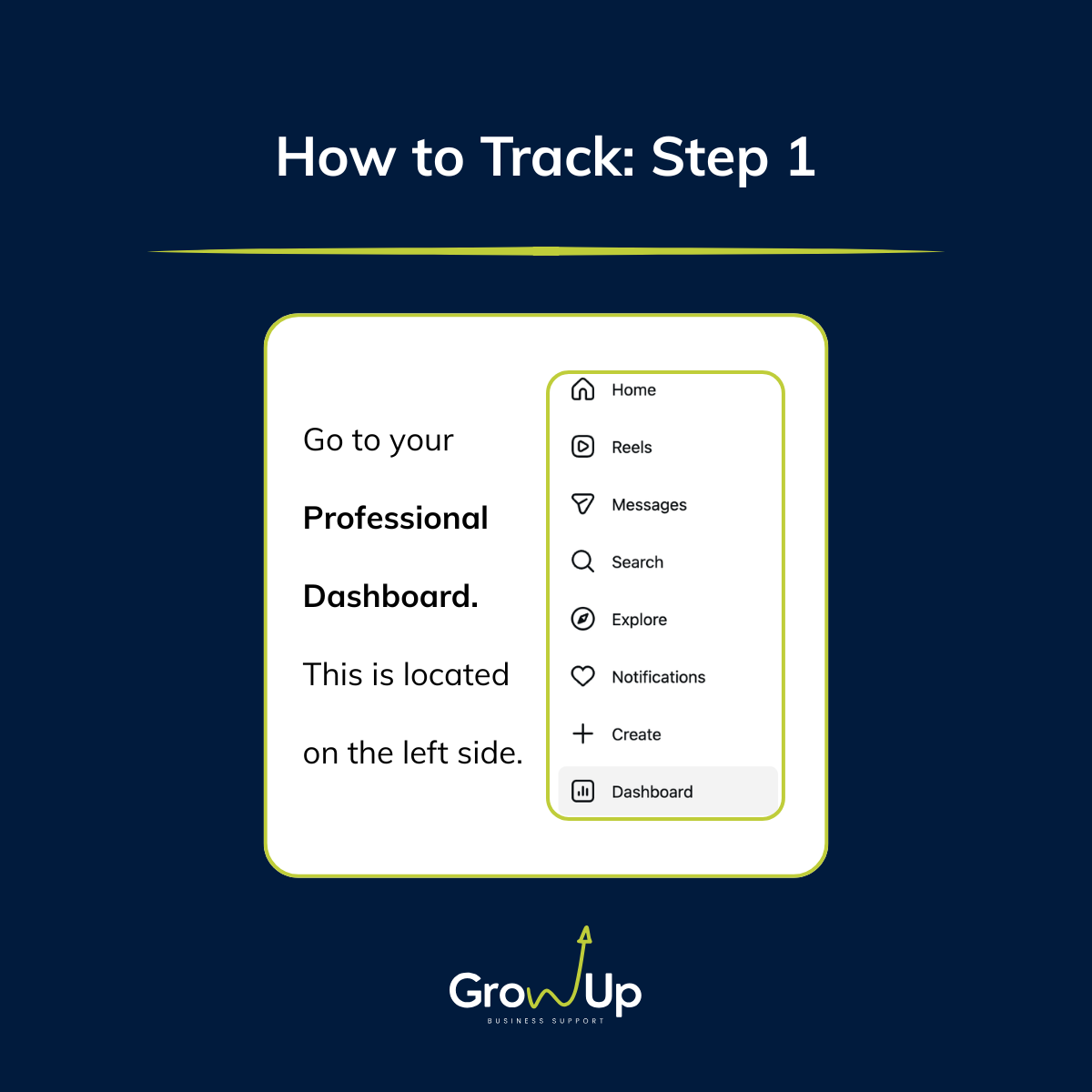
To check:
Go to Professional Dashboard
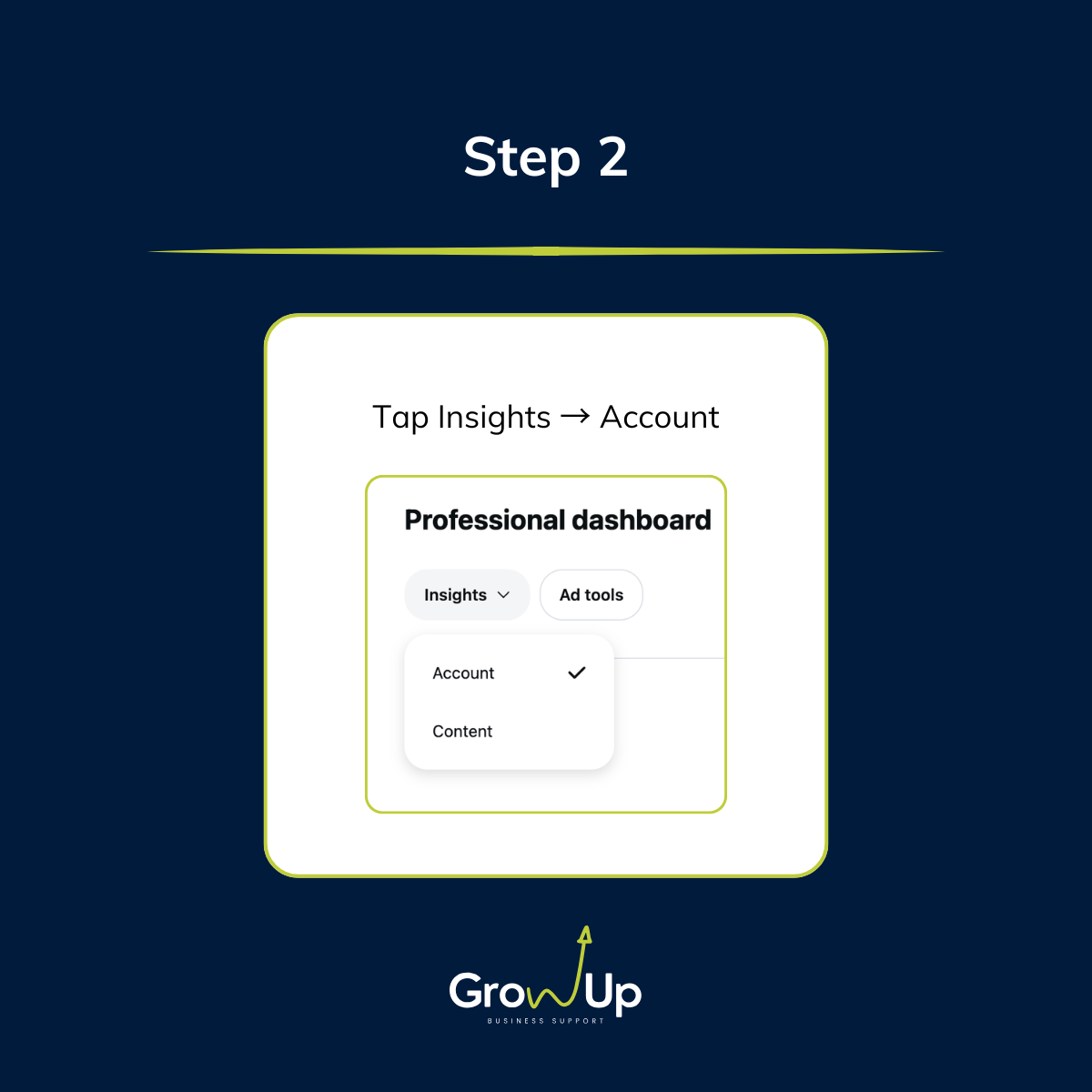
Tap Insights → Account
Look for External Link Taps under Profile
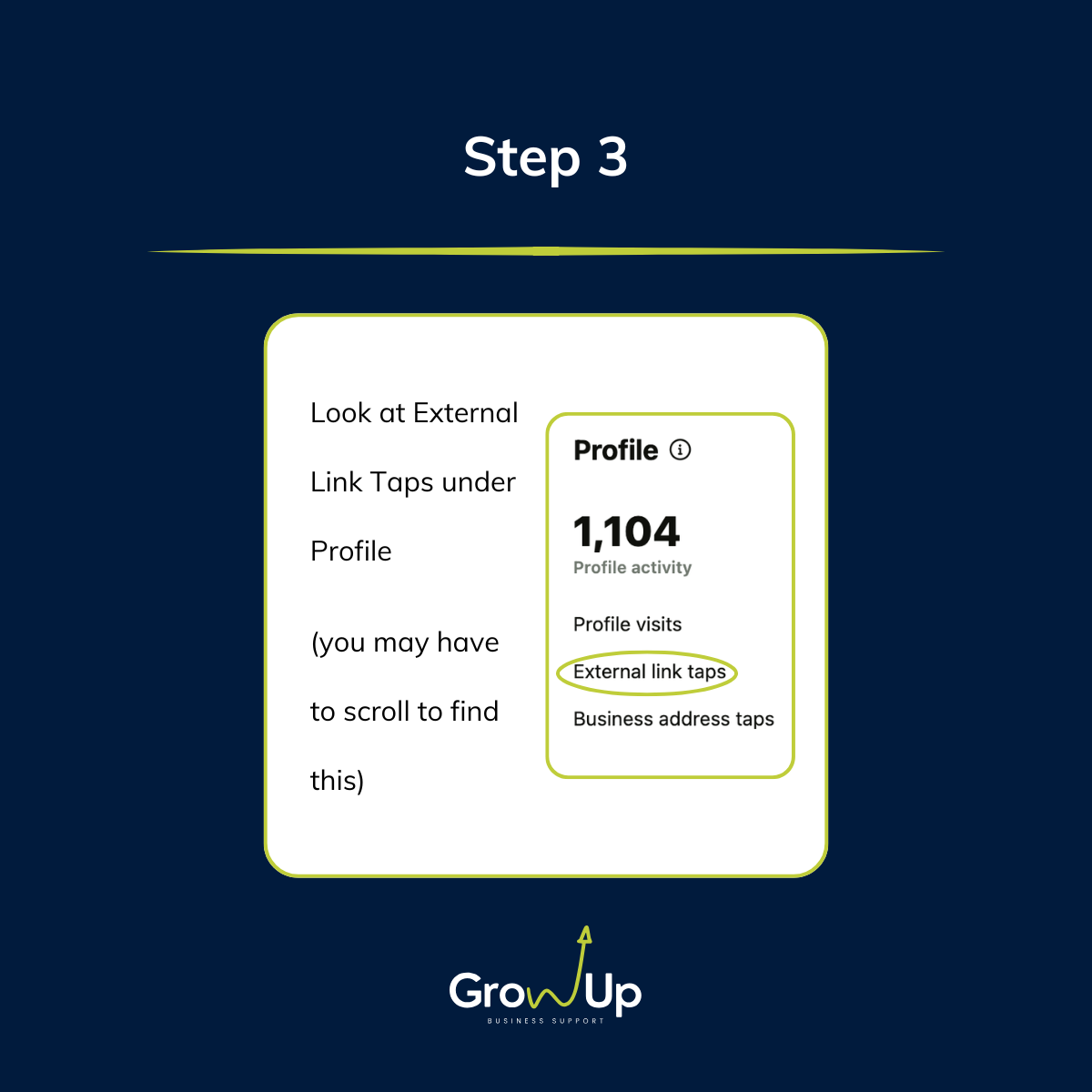
This shows how many people actually clicked the link in your bio. Knowing this tells you if your Instagram content is turning attention into real enquiries.
Low Clicks? Check Your Content
If External Link Taps are low, your posts might not be giving people a reason to act.
Are your posts telling people what they get if they click your link?
Do your captions include a clear call to action, like “Get a free quote” or “See our latest driveway project”?
Are you showing work in a way that connects to your services?
Fix it: Be specific and outcome-focused.
Example: “Check out this garden transformation — link in bio to book your free quote!”
Make Your Bio Work
Your bio is the bridge between scrolling and enquiring. If it’s unclear, people won’t click.
Include your trade and services (e.g., Landscaping & Tree Care)
Add your location or service area (so people know you work near them)
Make it obvious what happens when they click your link (e.g., “Book a free quote” or “See our recent projects”)
A strong bio turns profile visitors into potential customers.
High Clicks but No Enquiries? Check Your Website
If people are clicking but not contacting you, the problem is likely your website:
Is it confusing or hard to navigate?
Is your quote/request button obvious?
Does it show examples of your work or testimonials to build trust?
Does it load fast on mobile?
Instagram tracks External Link Taps, not whether they complete a booking — pairing Insights with your website analytics gives the full picture.
Simple Ways to Boost Clicks
Always include a call to action in posts: tell them why to click.
Use Story links — link stickers often outperform bio links.
Keep your bio link focused — one main link that matches your current content.
Remind people naturally in captions or comments where to click.
Even small tweaks here can make a big difference in enquiries.
Views vs Clicks vs Jobs
Views show attention.
External Link Taps show intent.
Enquiries/bookings show results.
High engagement but low taps? Your content grabs attention but doesn’t motivate action. Fix your call to action, bio, and content alignment to turn followers into paying customers.
Final Thoughts
External Link Taps are one of the clearest signals that your Instagram content is actually driving action — not just likes.
For trades businesses, this is gold. Every tap could lead to a new job. Low taps? That’s fine — it’s fixable. Clear instructions, a strong bio, and content that connects posts to your services will naturally increase taps — and eventually, enquiries.
💡 Struggling to turn Instagram likes into real enquiries? DM us — we help trades businesses get more jobs booked from social media.
FAQs
Do I need a Business account to see External Link Taps?
Yes, only Professional/Business accounts can track them.
Are External Link Taps the same as clicks?
They measure taps inside Instagram. Your website analytics track what happens after.
Why are my External Link Taps low?
Usually, unclear calls to action, buried or mismatched links, or a bio that doesn’t explain the benefit.
Where to find them?
Instagram Insights → Profile Activity → External Link Taps.
